Sunday, January 29, 2017

Resident Evil 7 Being Popular Games

No longer with the camera fixed in three major series such as first or third person as three series later, Capcom is trying to bring back the thrill of horror through the first person perspective. The good news?, Resident Evil 7 being popular games in early 2017.

Resident Evil 7 Being Popular Games
Resident Evil 7 : Biohazard
Capcom gave a special tribute for their implementation of the latest engine – the RE Engine they consider success to bring back the appeal of horror franchise that already existed for decades. Policy to include the demo version also was greeted with enthusiasm is high enough, with more 7.00 million users download Resident evil weekly its a new a record for Resident Evil.

Resident Evil 7 Being Popular Games
Residen Evil 7 being rising star at early 2017
Capcom's next projects is present DLC for Resident Evil 7, Them try making sure their newest CGI movie – Resident Evil: Vendetta that will be released in end of 2017. What about you? How many of you already tasting Resident Evil 7 at this time? are you agree Resident Evil 7 Being Popular Games ?
Read More

Thursday, January 26, 2017

5 Way How Android Developer Get Money

Android Developers apps and games is one job that is challenging and also has a many salary.
5 Way How Android Developer Get Money
How To Android Developer Get Money

Make a game or application is a difficult. But not all Android developers work with his partner. Many of them work independently.

For developers who do not work with Partners or company, do you ever think about how they get money from apps or games that they have made? This time Govinshan will show how them make money from his own apps or games that have been created.

How Android Developer Get Money From His Application

Lots of apps and games in Google Play Store can be downloaded for free. But, there are several ways you can do to earn money from applications that have been created. Here's the explain.

1. Add Advertisement

Google Adsense For Adding Ads
Add some Ads is the best way you can do to earn extra money from your applications. You can add multiple types of ads in it, ranging from banner ads, overlay ads until interestitial ads.

Make sure ads that you add dont disturb people who using your app. It is important so that the person does not uninstall your applications.

Until now, there are more than 60% of Android apps that use the ads in it. Google itself has a medium to facilitate the extra money you can, that is Google Adsense.

2. In-App Purchase
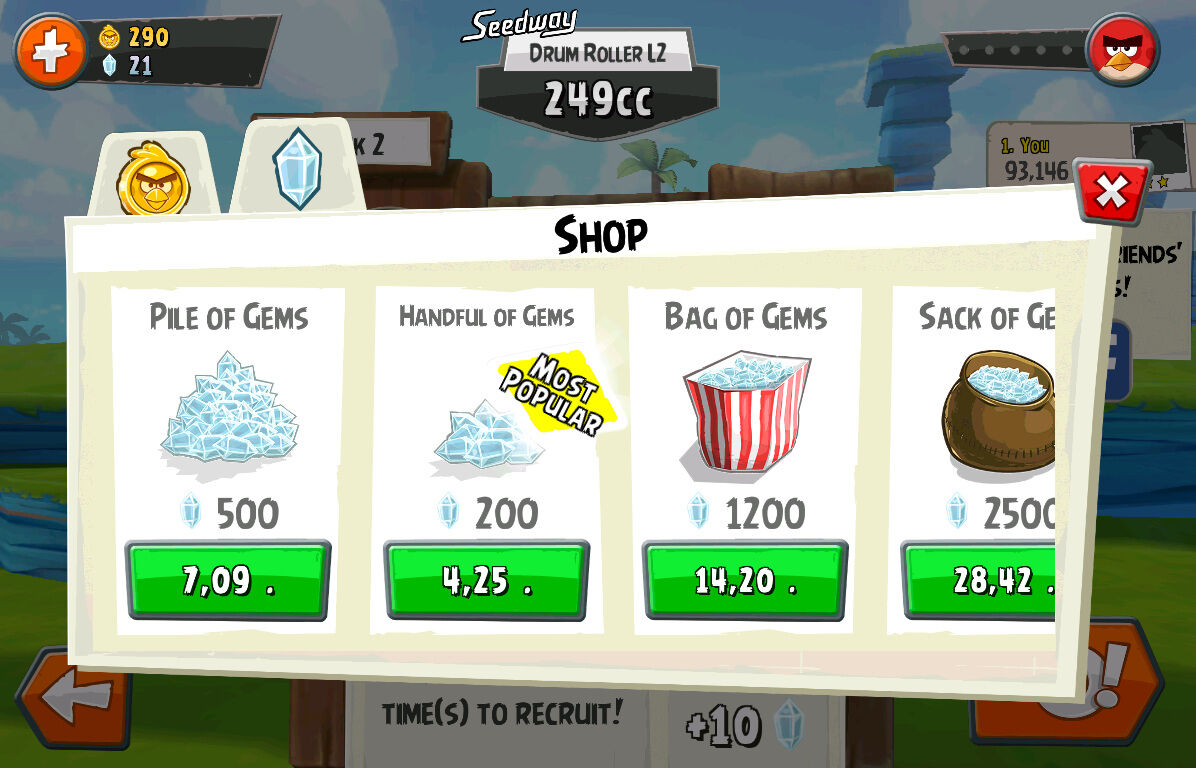
In-App Purchase To Get Extra Money
Do you ever buy apps, games, items in the book and film on the Google Play Store?.

Well, it also helps developers get additional money. Consumption of digital content is now easier. So you can get extra money from your application with selling the Item from your apps.

3. Subscriptions
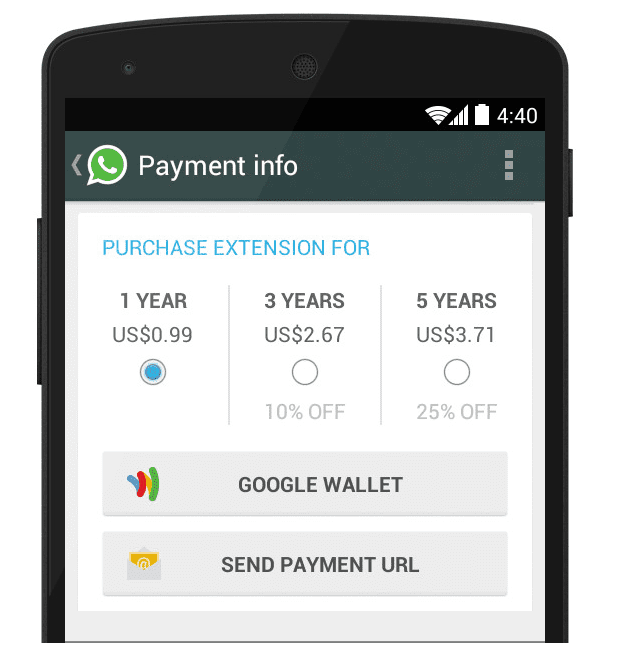
Subscriptions For Get Money from Apps
Subscriptions are also ways you can do monetize applications that you have been create. You can make a subscription system with the duration of each month, or once every year.

4. Affiliated

Affiliated with others company or partner
If you feel an application that you created is large enough, it looks like it's time for affiliation or cooperation with others company. Some of the advantages that can be obtained, among others, make our application more famous name, acquire new users, and much more.

5. Selling Apps

Selling Apps
If you have the ability to make Android app or game, you can take advantage of the ability to sell a your app, of course along with the source code.

That's some way to earn additional money from the Android app or game you have been created. If you have another way to get money from Apps or Game Android you can share in the comments. Good luck!

Read Also : How To Get Thousand Instagram Followers
Read More

10 Gaming Laptop With Best Screen 2017

Have you ever fell that times are very fast? In fact, in the field of any gaming laptop, the innovation presented by various vendors were very awesome. Many vendors already offering gaming laptop with a nice screen and the best in the 2017's.

10 Gaming Laptop With Best Screen 2017

Now, therefore through this article Govinshan will provide a list of the best gaming laptop with a best screen 2017. So you do not need to buy an additional monitor again. Are you agree?

10 Gaming Laptops With Best Screen 2017,No Need Buy Monitor Extra!

Gaming laptop that has the best screen specification in 2017 will be your mates. Therefore, you are especially fond of playing games, will get the exciting experience of seeing the depth of the screen is presented. This following are kinds of gaming laptops with the best screen:

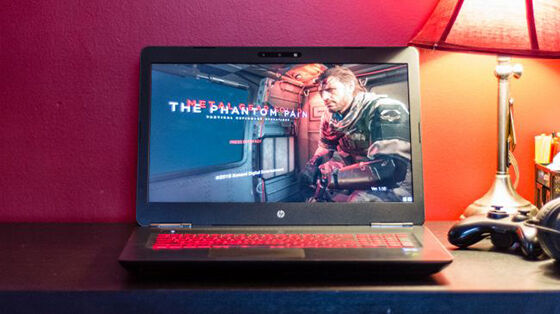
1. HP Omen 17

10 Gaming Laptop With Best Screen 2017
HP Omen 17

HP Omen 17 Specification

Specification HP Omen 17
Processor Intel Core i7-6700HQ
Speed 2.6GHz - 3.5GHz
VGA Nvidia Geforce GTX 1070 8 GB
Hard Drive SSD 512GB
RAM DDR4 16GB
Screen Size 17.3 inci
Screen Resolution     3840 x 2160
OS Windows 10 Home 64bit

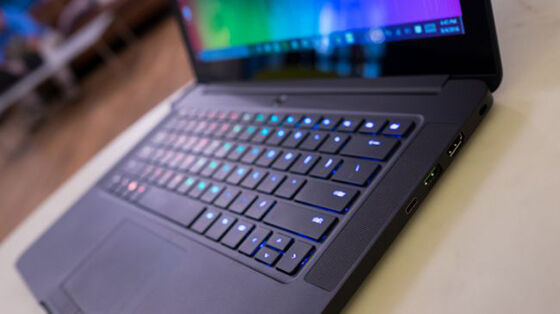
2. Razer Blade

10 Gaming Laptop With Best Screen 2017
Razer Blade

Razer Blade Specification

Specification Razer Blade
Processor Intel Core i7-6700HQ
Speed 2.6GHz - 3.5GHz
VGA Nvidia Geforce GTX 1060 6 GB
Hard Drive SSD 512GB
RAM DDR4 16GB
Screen Size 14 inci
Screen Resolution     3200 x 1800
OS Windows 10 64bit

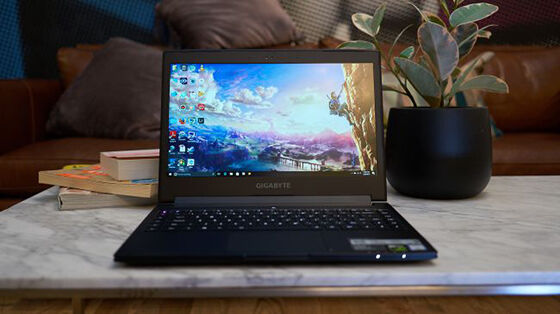
3. Gigabyte Aero 14

10 Gaming Laptop With Best Screen 2017
Gigabyte Aero

Gigabyte Aero 14 Specification

Specification Gigabyte Aero 14
Processor Intel Core i7-6700HQ
Speed 2.6GHz - 3.5GHz
VGA Nvidia Geforce GTX 1060 6 GB
Hard Drive SSD 512GB
RAM DDR4 16GB
Screen Size 14 inci
Screen Resolution     2560 x 1440
OS Windows 10 64bit

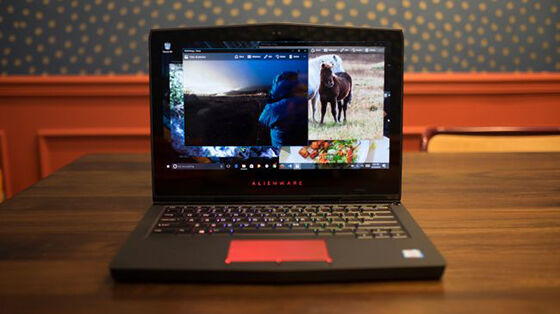
4. Alienware 13 R3

10 Gaming Laptop With Best Screen 2017
Alienware 13 R3

Alienware 13 R3 Specification

Specification Alienware 13 R3
Processor Intel Core i7-7700HQ
Speed up to 3.8GHz
VGA Nvidia Geforce GTX 1060 6 GB
Hard Drive SSD 1TB
RAM DDR4 32GB
Screen Size 13.3 inci
Screen Resolution     2560 x 1440
OS Windows 10 Home 64bit

5. Aorus X5 v6

10 Gaming Laptop With Best Screen 2017
Aorus X5 v6

Specification Aorus X5 v6

Specification Aorus X5 v6
Processor Intel Core i7-6820HQ
Speed 2.7GHz - 3.6GHz
VGA Nvidia Geforce GTX 1070 8 GB
Hard Drive SSD 512GB
RAM DDR4 16GB
Screen Size 15.6 inci
Screen Resolution     2880 x 1620
OS Windows 10 Pro 64bit

6. Razer Blade Pro

Razer Blade Pro Specification

Specification Razer Blade Pro
Processor Intel Core i7-6700HQ
Speed 2.6GHz - 3.5GHz
VGA Nvidia Geforce GTX 1080 8 GB
Hard Drive SSD 512GB
RAM DDR4 32GB
Screen Size 17.3 inci
Screen Resolution     3840 x 2160
OS Windows 10 Pro 64bit

7. Origin Eon17-X

10 Gaming Laptop With Best Screen 2017
Origin Eon17-X

Origin Eon17-X Specification

Specification Origin Eon17-X
Processor Intel Core i7-7700HQ
Speed up to 4.2GHz
VGA Nvidia Geforce GTX 1080 8 GB
Hard Drive SSD 1TB
RAM DDR4 32GB
Screen Size 17.3 inci
Screen Resolution     3840 x 2160
OS Windows 10 Pro 64bit

8. Acer Predator 17X

10 Gaming Laptop With Best Screen 2017
Acer Predator 17X

Acer Predator 17X Specification

Specification Acer Predator 17X
Processor Intel Core i7-6820HQ
Speed 2.7GHz - 3.6GHz
VGA Nvidia Geforce GTX 980 4 GB
Hard Drive SSD 512GB
RAM DDR4 32GB
Screen Size 17 inci
Screen Resolution     3840 x 2160
OS Windows 10 64bit

9. Origin EON17-SLX

10 Gaming Laptop With Best Screen 2017
Origin EON17-SLX

Origin EON17-SLX Specification

Specification Origin EON17-SLX
Processor Intel Core i7-7700HQ
Speed 4.2GHz - 4.5GHz
VGA Nvidia Geforce GTX 1080 8 GB
Hard Drive SSD 1TB
RAM DDR4 32GB
Screen Size 17.3 inci
Screen Resolution     3840 x 2160
OS Windows 10 64bit

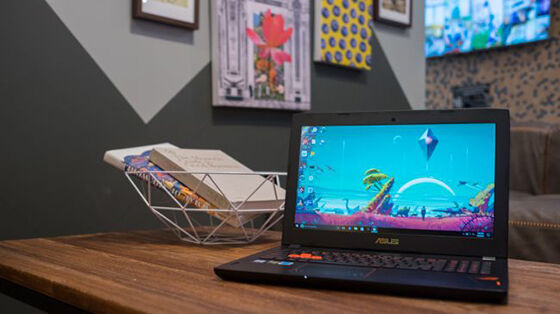
10. ASUS ROG Strix GL502

10 Gaming Laptop With Best Screen 2017
ASUS ROG Strix GL502

Gigabyte Aero 14 Specification

Specification ASUS ROG Strix GL502
Processor Intel Core i7-6700HQ
Speed 2.6GHz - 3.5GHz
VGA Nvidia Geforce GTX 1070 8 GB
Hard Drive SSD 256GB
RAM DDR4 16GB
Screen Size 15.6 inci
Screen Resolution     1920 x 1080
OS Windows 10 Pro 64bit

That some recommendations the best gaming laptop with a best screen that you can buy. Of course, you have to work hard to save your money. Do not forget to read the articles another cool information and other interesting articles from Govinshan.com

Read Also : PC Specification To Play Tekken 7
Read More

Wednesday, January 25, 2017

PC Specification To Play Tekken 7

PC gamers finally have opportunity to Enjoyed One fighting game that's Tekken. Namco Bandai offer best visual and quality of gameplay innovation. And next you must to do is make sure your PC in required Specification to play Tekken 7 to give best experience when play that game.

PC Specification To Play Tekken 7
Specification To Play Tekken 7
Will be released in mid-2017, PC gamers will get the same content like console versions, including buy the Season Pass. Tekken 7 already opened pre-order on Steam with bonus of a chance to use Eliza character faster. If you want to play Tekken 7 in best quality visual, your PC specification must like this :

Minimum Requirements

  • OS: Windows 7/8/10 (64-bit OS required)
  • Processor: Intel Core Intel Core i3-4160 @ 3.60GHz or equivalent
  • Memory: 6 GB RAM
  • Graphics: NVIDIA GeForce GTX 660 2GB, GTX 750Ti 2GB, or equivalent
  • DirectX: Version 11
  • Network: Broadband Internet connection
  • Storage: 60 GB available space
  • Sound Card: DirectX compatible soundcard or onboard chipset

Recommended Requirements

  • OS: Windows 7/8/10 (64-bit OS required)
  • Processor: Intel Core i5-4690 3.5 GHz or equivalent
  • Memory: 8 GB RAM
  • Graphics: NVIDIA GeForce GTX 1060 equivalent or higher
  • DirectX: Version 11
  • Network: Broadband Internet connection
  • Storage: 60 GB available space
  • Sound Card: DirectX compatible soundcard or onboard chipset
Tekken 7 will be release on June 2, 2017. What about your own PC? Ready to handle this game at optimal quality?

Read Also : Recommended Specification Computer For Dota 2
Read More

Tuesday, January 24, 2017

How To Install Lightshot On Linux Ubuntu

Lighshot is windows application to easy screenshot, lighshot can use in all Operating System, Linux, Windows And macbook, in linux you must install wine first, but in windows you can install it very easily just click next - next, but in linux you must install wine to support this application. Now Govinshan.com will show How To Install Lightshot On Linux.

How To Install Lightshot On Linux, Ubuntu / Backbox 

install lightshot on ubuntu / backbox
Lighshot on Ubuntu / Backbox
This is for Linux Ubuntu 14.10 or higher, 12.10 not yet tested. If want to install it, you must open the terminal press CTRL + T , and copy it to terminal

sudo apt-get install wine
wget http://app.prntscr.com/build/setup-lightshot.exe
wine ./setup-lightshot.exe
Just copy it to your terminal one by one, wait until finish, it make take several minutes ,after it you can enjoy Lighshot. You can check in official lighshot website to install it on your own linux, in this URL
http://app.prntscr.com/en/wine-lightshot.html
Easy right ? and if you want to take screenshot click lightshot logo in your taskbar / press prtscrn button on your keyboard, and select the area you want to screenshot, lighshot also can install to your chrome, just add extension, if you want, lighshot will save your picture to your computer, not to his server / another. has been tested on my backbox

how to install lighshot on ubuntu
This is my backbox, and i has been install lighshot and it's work
Enjoy, just do it, it's free because linux is open source. If you know another way to install lighshot for linux, please write in comment!

Read Also : How To Protect And Secure Your Android Gadget
Read More

Monday, January 23, 2017

PC Specification To For Honor

Minimum And Maximum PC Specification To Play For Honor

Different with "War" game ON usually For Honor show new concept, if usually war game use strategy as main game, Ubisoft make war game with melee battle between players as a main concept, This certainly looks like a game that will drain capabilities of your PC up to the final point. Really ?

PC Specification To For Honor
Minimum And Maximum Specification For Honor
The information awaited arrival. Ubisoft has finally released the PC specifications required to For Honor, either minimum or maximum quality. In contrast to the habits of Ubisoft games that usually ends with the PC version is released more slowly compared to the console versions, For Honor will be released to the market in the same release date. Interested? Make sure your PC can handle it:

Minimum Requirements (720p – 30fps):

  • OS:Windows 7, Windows 8.1, Windows 10 (64-bit versions only)
  • PROCESSOR: Intel Core i3-550 | AMD Phenom II X4 955 or equivalent
  • VIDEO CARD: NVIDIA GeForce GTX660/GTX750ti/GTX950/GTX1050 with 2 GB VRAM or more | AMD Radeon HD6970/HD7870/R9 270/R9 370/RX460 with 2 GB VRAM
  • SYSTEM RAM: 4GB
  • Video Preset: Low
  • VSync: Off

Recommended Requirements (1080p – 60fps):

  • OS:Windows 7, Windows 8.1, Windows 10 (64-bit versions only)
  • PROCESSOR: Intel Core i5-2500K | AMD FX-6350 or equivalent
  • VIDEO CARD: NVIDIA GeForce GTX680/GTX760/GTX970/GTX1060 with 2 GB VRAM or more | AMD Radeon R9 280X/R9 380/RX470 with 2 GB VRAM or more
  • SYSTEM RAM:8GB
  • Vsync: Off
  • Video Preset: High
For Honor is planned to be released on 14 February 2017. What about your PC? Ready to handle this game in maximum quality?
Read More

Saturday, January 21, 2017

How To Get Thousand Instagram Followers

Instagram is effective social media to share about your hobby or best way to promote your business. This social media is best because this is different, this is support you to get some information from a picture or video.
And the instagram is best place to show off your beauty face to others, you can show off your beautiful or your handsome to others people, and if you want people know you, you must famous and you must have a many followers. So if you want to famous and have a many followers you may try Govinshan Tips : How To Get Thousand Instagram Followers.

Tutorial How To Get Instagram Followers
Tips For Get Followers

Use Hashtag

Hashtag is a one of important point in instagram, because if you use hashtag your picture will easier to search, so your picture will very famous if you use a right hashtag and famous hashtag. 

function of Hashtag  is for describe theme of your picture in social media, so if some one search theme of your Hashtag, he will found your picture. Hashtag will help your picture to famous.

Don't forget to use suitable Hashtag for you picture, example : if you upload picture of your cat use a Hashtag #cat #pet in the title of your picture

Upload The Best Picture

Upload your best picture in instagram, you haven't to upload your picture everyday, just give a Best picture. So if you upload your best picture your follower will wait your next best picture. 

Active Promotion 

Like another social media, in Instagram also need a socialization and interaction between users, you can interaction with other users with comment their picture. By commenting on each other you can having a relationship with other users And also can get many friends and followers 

That is tips for How To Get Thousand Followers In Instagram Govinshan version, if you know another tips, dont be shy to share it in comments!
Read More